

INSTALL MAIL SERVER DENGAN POSTFIX DAN ROUNDCUBE
HAL-HAL YANG HARUS DIPERHATIKAN
a. pastikan /etc/hosts : sesuai dengan nama mail.server
- Install Web Server
apt-get install apache2
nano /etc/apache2/sites-available/000-default.conf
nameserver
ganti file root >>> seperti dibawah ini
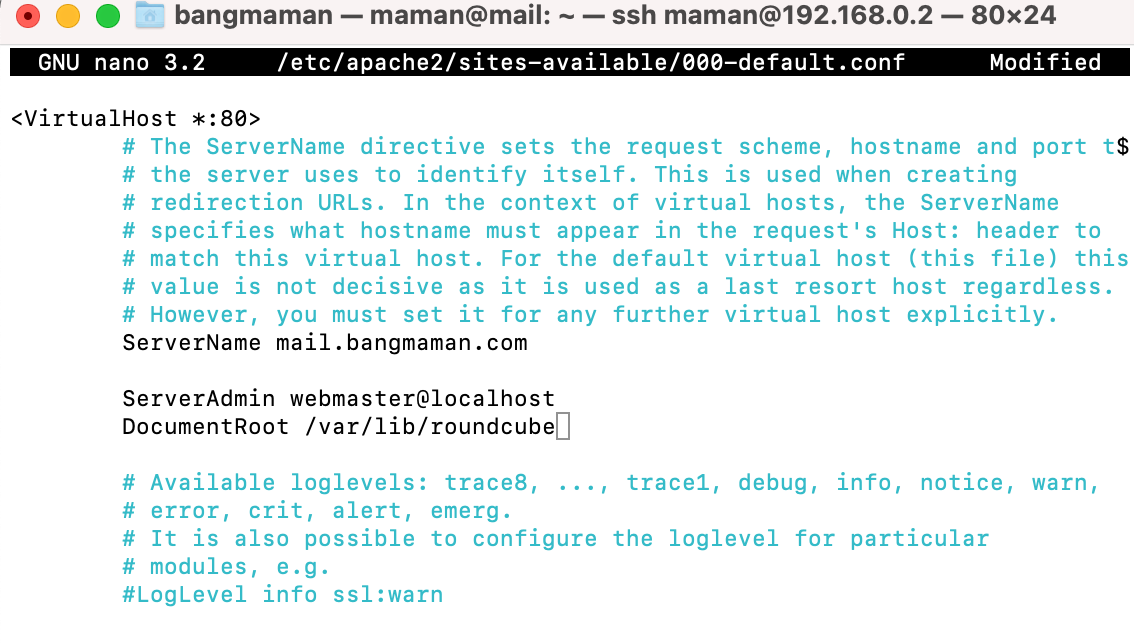
wajib restart service == > systemctl restart apache2
2. Install paket-paket Kurir mail
apt-get install dovecot-imapd
apt-get install dovecot-pop3d
apt-get install dovecot-mysql
nano /etc/dovecot/conf.d/10-mail.conf
mail_location = maildir:~/Maildir
TAMBAHKAN PAGAR PADA mail_location = >>> seperti dibawah ini 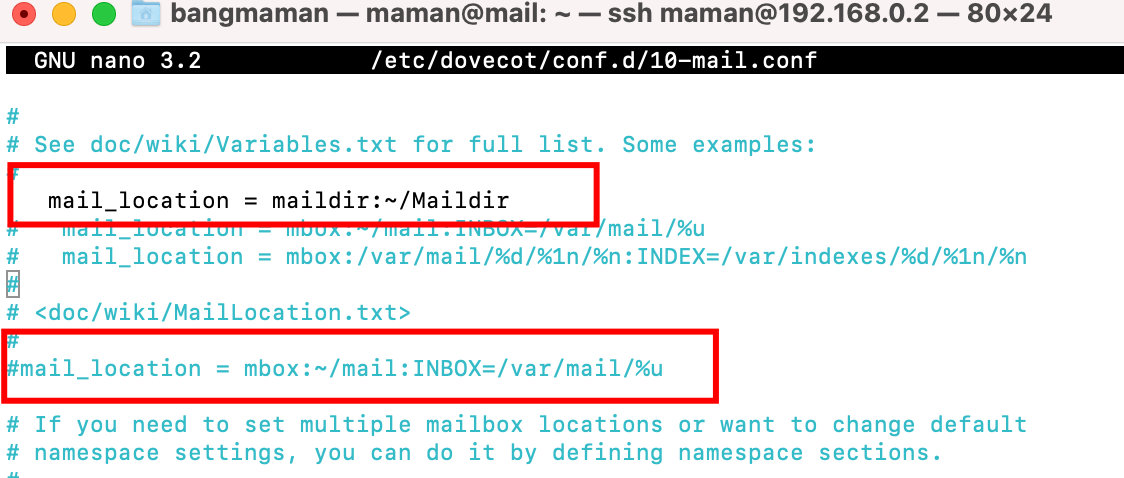
nano /etc/dovecot/conf.d/10-auth.conf
disable_plaintext_auth = no
nano /etc/dovecot/dovecot.conf
listen = *
namespace inbox {
inbox = yes
}
>>> seperti dibawah ini
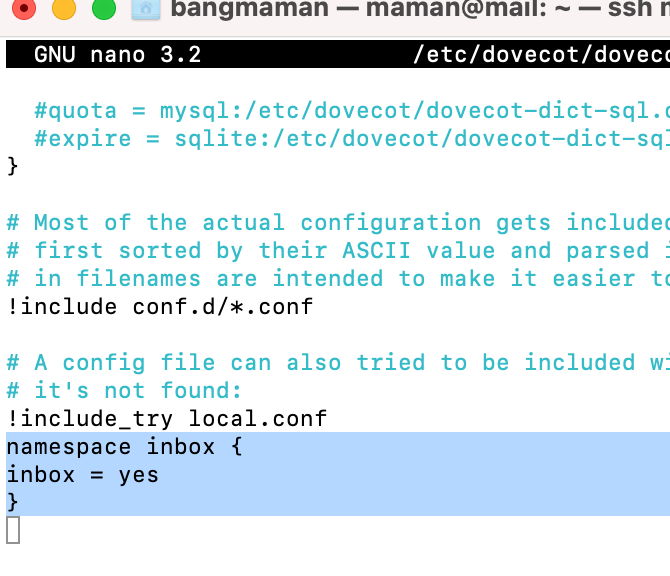
wajib restart service == > systemctl restart dovecot
3. Install Postfix
apt-get install postfix
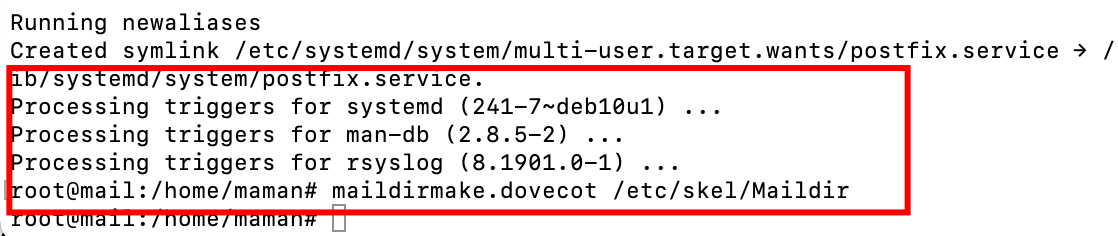
maildirmake.dovecot /etc/skel/Maildir
nano /etc/postfix/main.cf
home_mailbox = Maildir/
Catatatan : pastikan dengan root => su –
dpkg-reconfigure postfix
wajib restart service == > systemctl restart postfix
4. Install Database
apt-get install mariadb-server
mysql_secure_installation
mysql -u root -p
create database roundcube;
create user ’roundcube’@’localhost’ identified by ‘123’;
grant all privileges on roundcube.* to ’roundcube’@’localhost’;
flush privileges;
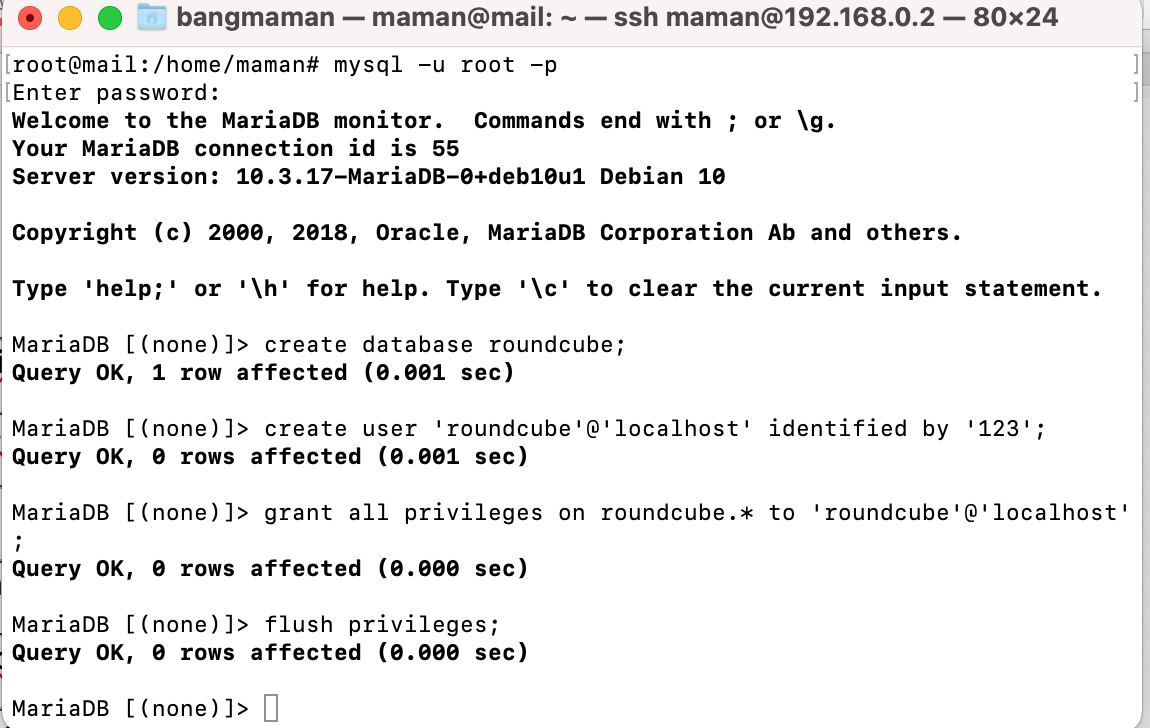
wajib restart service == > systemctl restart mariadb
5. Install aplikasi browser mail server
apt-get install roundcube
dpkg-reconfigure roundcube-core
nano /etc/roundcube/config.inc.php
>>> seperti dibawah ini
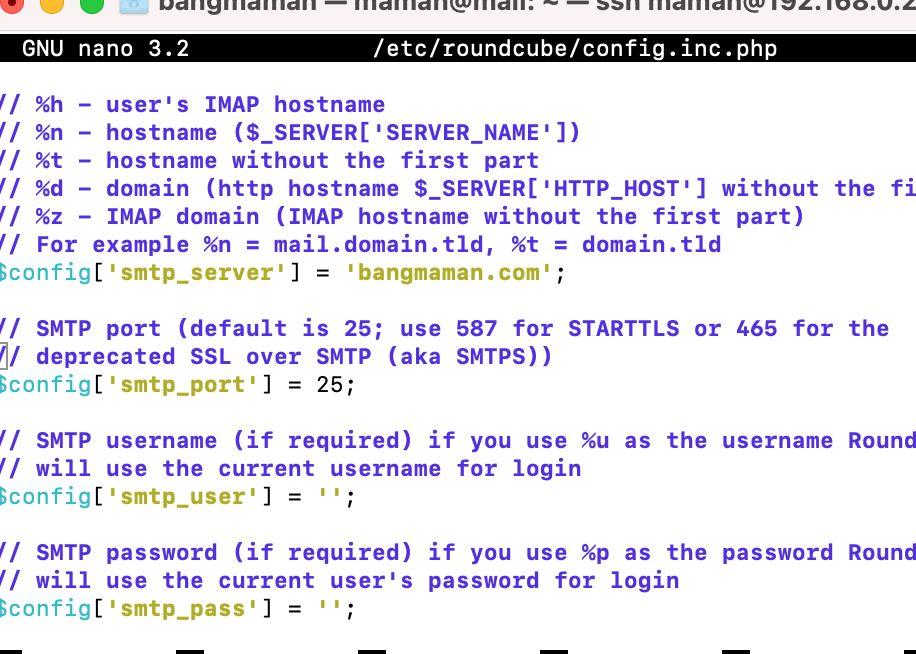
6. Menambah user
adduser guru
adduser siswa
7. Restart service
systemctl restart apache2
systemctl restart mariadb
systemctl restart postfix
systemctl restart dovecot